
Everybody in Pakistan wants to own an iPhone (including me😔). Unfortunately, it comes with hefty price tags not only for the device itself but also for the ever-increasing PTA taxes on iPhones imposed by the Pakistan Telecommunication Authority (PTA). Sometimes, these taxes stretch from PKR 50,000 to PKR 90,000, even for older models like the iPhone 7 or X.
Without PTA approval, your iPhone will lose network connectivity after a limited grace period, leaving it restricted to Wi-Fi use only.
The question is, can you still use a non-PTA iPhone in Pakistan? The answer is yes; you can use an iPhone in Pakistan without PTA registration in cost-effective ways, staying in legal compliance with Pakistan taxation.
This guide is all about using an iPhone in Pakistan without PTA registration, without triggering the official tax limitations.
1. Temporary PTA Registration (120-day rule)
According to the 12-day rule in Pakistan, foreign nationals can register their iPhones through the DIRBS portal. This way, you can register your SIM for 120 days, starting from your day of arrival.
Steps to register your device:
- Visit the PTA’s DIRBS portal and sign up
- Add the personal information, such as your date of arrival, passport number, and date of departure.
- Enter the IMEI number of your device
- Complete the application and receive confirmation
The registration itself is a free and digital process, but the overseas tourists are required to pay taxes to the Federal Board of Revenue (FBR) if the device is determined to be non-compliant.
2. WiFi-Only Usage Strategy for Non-PTA iPhone
Most Pakistanis use the non-PTA iPhone for its high-quality camera and internet usage. That means the internet access through wifi availability is the best way for them to embrace their non-PTA device. If you have unrestricted internet access at home, the office, and other locations, you will face no issue.
What you can do:
- Take advantage of the internet services such as social media and streaming platforms.
- Use WhatsApp, Messenger, and Facebook for audio and video calls.
- Access email, cloud storage, and productivity apps
- Enjoy gaming, photography, and other phone features.
Limitations:
- No traditional calling or SMS
- Dependent on WiFi availability
- Emergency calling may not work in all areas
Despite its limitations, the WiFi approach is a convenient way to stay connected with friends and family through various apps, without relying on traditional calls or SMS via SIM cards
3. Dual Device Approach
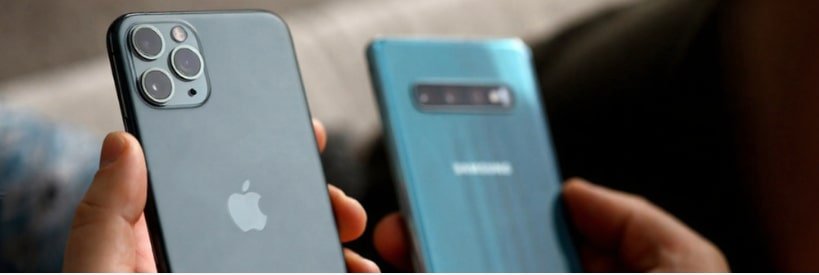
You can keep two mobile phones with you, an unregistered iPhone and a registered phone. With the non-PTA iPhone, you can enjoy all the Apple features and with the PTA-registered device, you can access the SIM functions.
Setup Process:
- Keep your non-PTA iPhone for internet, apps, and multimedia
- Use a simple PTA-registered phone (like a basic Jazz Digit 4G, Nokia, or Samsung) for calls and SMS
- Forward important calls to messaging apps when possible
- Use the same phone number across WhatsApp on both devices
Benefits:
- Avoid expensive PTA taxes on premium devices
- Maintain full communication capabilities
- Keep your iPhone for advanced features
Pro Tip: By benefiting from the 120 rule, you can register both SIMs and use one for 120 days, then switch to the other for another 120 days.
4. Use a Bluetooth DSDS (Dual SIM Dual Standby) Adapter
Some people want to keep both of their SIM cards active at once, but how can you do it without paying registration fees?
Well, the answer is a Bluetooth DSDS adapter, which is an external device that allows the use of two SIM cards at once by transferring SIM signals to the phone via Bluetooth.
DSDS Bluetooth adapter, like “Buddy,” is a good example of such a device. This small device holds your SIM cards, connects to your iPhone, and allows calls and SMS. This allows you to use both SIM cards on your non-PTA iPhone device.
5. VoIP and Internet Calling Services
Consider VoIP services, which enable you to make calls over the internet, eliminating the need to worry about SIM issues. Google Voice, a product of Google Workspace, serves as a good VoIP service option, offering a free plan with limited features.
Additional VoIP solutions:
- WhatsApp Calling: Free voice and video calls
- Skype: International calling at low rates
- Viber: Free calls to other Viber users
- FaceTime: For calls to other Apple device users
6. Hotspot and Tethering Solutions
Transform your non-PTA iPhone into a powerful internet-dependent device by using mobile hotspots or tethering from PTA-registered devices.
Implementation Methods:
- Use a PTA-registered smartphone as a mobile hotspot
- Invest in a portable WiFi device with cellular connectivity
- Tether internet from a family member’s registered phone
- Utilize office or public WiFi networks extensively
Tip: Keep your PTA-registered phone recharged at all times, so you can use its cellular service and connect it through a hotspot to your iPhone whenever needed.
Calls Received on a Non-PTA iPhone (Even Without a SIM)
Sometimes, a person buys a new iPhone (unregistered) and starts to receive calls that were supposed to be for their old iPhone (which was registered). This gets confusing because there is no SIM functionality, but the device is receiving calls.
Why does this happen?
This happens because of Apple’s iCloud features, introduced in iOS 15.8.4 (starting from iPhone 6s and newer). According to this feature, Apple allows calls to come through using Wi-Fi and iCloud. This is the reason the mobile receives calls because both iPhone (new and old) are signed in with the same Apple ID.
In some cases, Calls are also forwarded between your new and old iPhone if:
- They’re both signed in to the same iCloud account.
- They’re connected to the same WiFi network.
- They’re near each other.
Example: If your old iPhone was PTA-registered and now you are using a non-PTA iPhone, but with the same iCloud account. Calls coming to your old iPhone (PTA registered) might be forwarded to your new iPhone (non-PTA) using WiFi.
How to Enable the Feature of Receiving Calls on the Non-PTA iPhone
You can follow the following steps to set up the feature to receive calls on your Non-PTA iPhone through your old PTA iPhone.
On your old iPhone (with the SIM):
- Go to Settings › Phone › Calls on Other Devices.
- Toggle Allow Calls on Other Devices → select your new iPhone.
On your new iPhone:
- Go to Settings › Phone › Calls on Other Devices.
- Make sure it’s set to allow calls from your iPhone.
Ensure both iPhones are:
- Signed in with the same Apple ID.
- Connected to Wi-Fi.
- Turned on and nearby.
(Optional) If your carrier supports Wi-Fi Calling, turn on:
- Settings › Phone › Wi-Fi Calling › Add Wi-Fi Calling for Other Devices.
- This can sometimes let your new iPhone get calls even if the old iPhone isn’t nearby.
This feature is available on:
- iPhone 6s and newer
- iOS 15.8.4 and above
So if your old iPhone is an iPhone 6s or newer, and your new one is also an Apple device (even non-PTA), they might automatically share calls via WiFi.
Tips for Long-term Non-PTA iPhone Usage
- Build Strong WiFi Infrastructure: Install a good-quality Wi-Fi device at home and keep a portable one for travelling
- Optimize Communication Habits: Ask your contacts to reach out to you on WhatsApp or messaging apps only
- Plan for Emergencies: In case of an emergency, keep a PTA-registered phone with you at all times, and also inform your family and friends about it.
FAQs
Can I use eSIM on a non-PTA iPhone?
You can, but only under certain conditions. If your iPhone is still in the grace period or you’re using a foreign SIM with roaming, the eSIM will work fine. Once PTA blocks the device, though, neither your physical SIM nor eSIM will connect to local networks.
How long is the grace period for non-registered devices?
Most non-PTA phones get around 60 days from the first time they connect to a Pakistani SIM. After that, if you haven’t registered it (and you’re not exempt), the phone will lose mobile signal for calls, texts, and mobile data.
Is Wi-Fi calling available on all Pakistani networks?
Not quite. Only a handful of networks here offer Wi-Fi calling, and you usually have to turn it on yourself in the settings. Plus, some carriers only let it work on phones that are already PTA-approved.
Can a blocked iPhone still be used for FaceTime and iMessage?
Yes. Even if your iPhone is blocked for mobile networks, it can still work perfectly over Wi-Fi for FaceTime, iMessage, WhatsApp, and similar apps. The block only affects your SIM-based services like calls, SMS, and mobile data.
Final Thoughts
Using a non-PTA iPhone in Pakistan is not a scary task, but most people get worried about the high PTA registration fees. A non-PTA iPhone can be used legally without paying hefty taxes; you have to use the right tactics.
The WiFi-only approach, combined with innovative communication alternatives, can provide most iPhone functionalities while saving substantial registration costs. You can build a WiFi infrastructure, maintain a dual-device setup, and also subscribe to VoIP plans.
Before deciding to purchase, keep your priorities and needs in mind. Your choice should align with your communication needs, budget constraints, and lifestyle preferences.